

Pressing an emergency intercom button starts a request for assistance. The endpoint must recognize the trigger, reach the configured destination and establish usable audio with a responder. A ringing indication or a successful SIP response is an intermediate result; the operational goal is an intelligible conversation with the correct response team.
Following the call through these stages helps locate button failures, incorrect routes, unavailable operators and audio problems after answer. The sequence below describes a site-managed help point calling a security desk or control room. Connection to public emergency services requires a separately designed service and location arrangement; a local SIP emergency button does not provide that service automatically.
Components Involved in a SIP Emergency Intercom Call
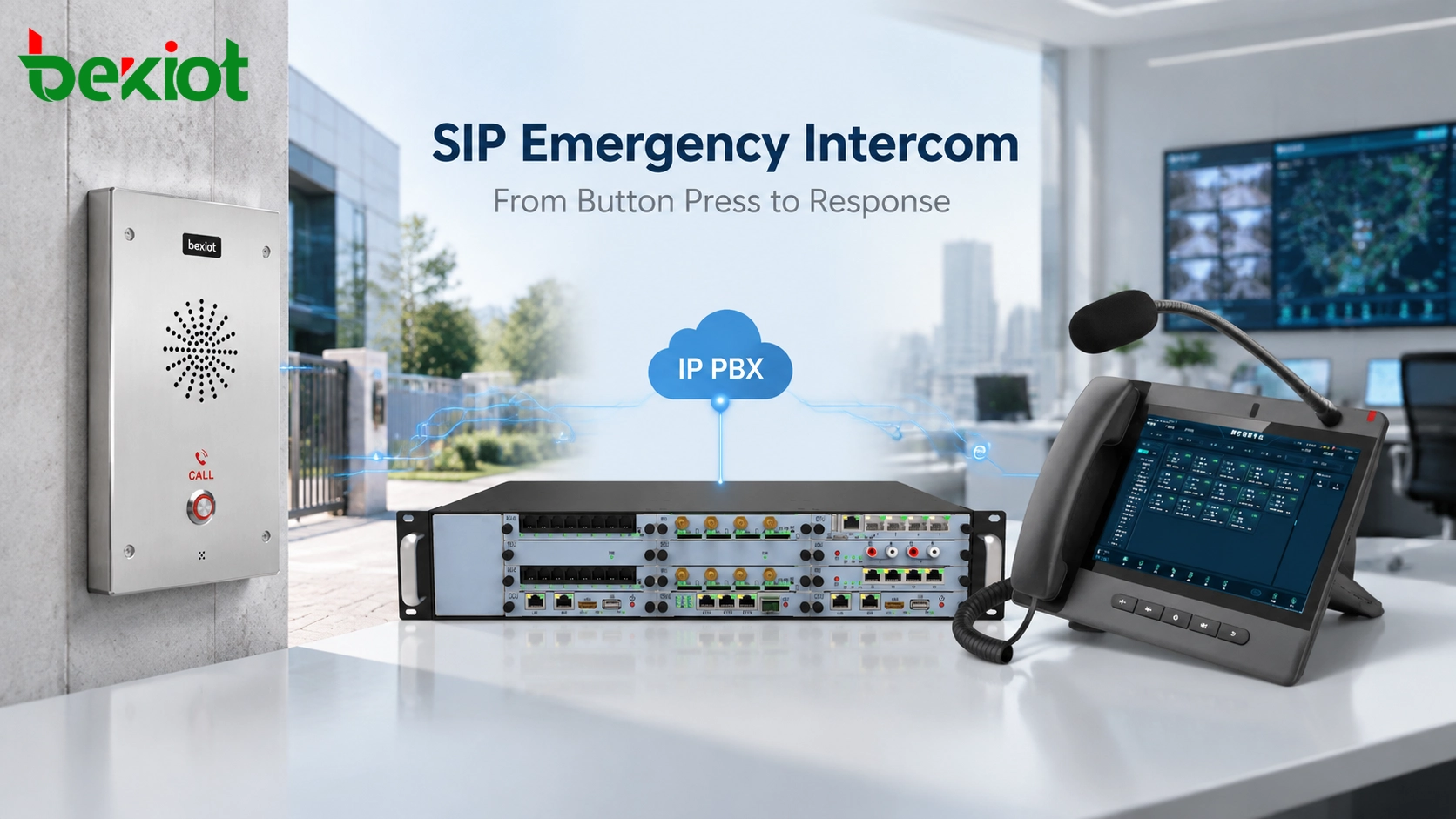
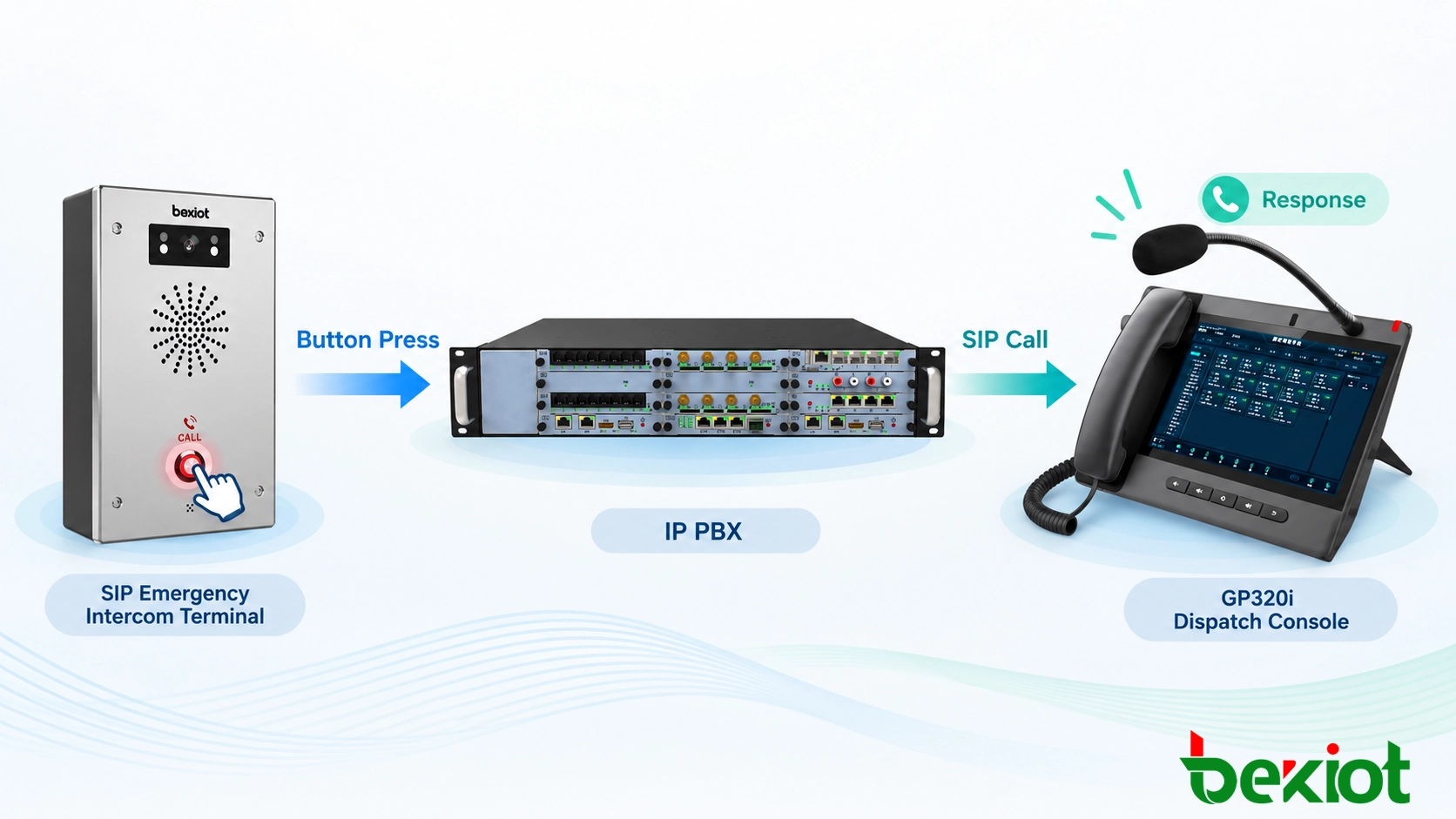
The endpoint supplies the trigger, microphone, speaker and supported calling functions. Network infrastructure carries signaling and media. A PBX, SIP server or dispatch platform can select destinations and apply response policies, while an operator terminal provides the answering and audio interface.
These roles need not correspond to separate physical devices. A SIP proxy forwards signaling; a PBX operating as a back-to-back user agent manages separate call legs; a media relay or gateway may provide another part of the audio path. Identify the actual topology before deciding which device's logs or network capture will show a failure.
| Component | Configuration to establish | Evidence during a test |
|---|---|---|
| Field intercom | Account, button action, destination and any permitted fallback | Trigger recognition and outgoing call attempt |
| Network and power | Reachable services, allowed traffic paths and supported power arrangement | Connectivity and media delivery under the tested conditions |
| Call platform | Destination group, availability rules and escalation ownership | Selected route and result for each attempted destination |
| Response terminal | Operator assignment, alerting and audio behavior | Correct location display, answer and two-way speech |
Step 1: Emergency Button Activation
The intercom detects its configured button or another supported trigger and initiates a call toward the selected destination. An external alarm input can perform this role only if the exact terminal or a connected integration service supports the required action.
Check the local indication the user receives: a button light, tone or spoken message may indicate an attempt, ringing or connection depending on the configuration. Make the meanings consistent with what has actually happened. A caller should not be told that assistance has answered merely because the endpoint accepted the button press.
For a public parking help point, the intended destination might be the security desk. For an industrial telephone, it might be the duty control room. Repeated presses and a held button need an agreed behavior so they do not create competing calls or cancel an active request unexpectedly.
Step 2: Registration Readiness and the Call Request
In a registered deployment, the intercom normally maintains its registration before the button is pressed. RFC 3261, Sections 10.2 and 10.2.4, describes registration bindings and their refresh. REGISTER is not a mandatory first message in every call and does not establish a call dialog.
A valid binding is useful evidence about registration, but it is not proof of a working button, microphone, speaker, operator or media route. Supervision and periodic functional tests need to cover the functions on which the site's response depends.
The endpoint's INVITE initiates the call attempt. Account authentication and routing prerequisites depend on the service configuration. Some supported designs allow direct SIP calling without a registrar or PBX; that does not automatically provide centrally managed queues, operator routing or fallback.
Step 3: Call Routing Through the SIP Platform
The call platform resolves the configured destination and selects an operator terminal or response group. The routing design may use location, duty schedule, operator availability and the authenticated calling account. Maintain the location record separately from the telephone number so that equipment replacement or renumbering does not leave a misleading display.
Define one owner for escalation, or explicitly coordinate endpoint and server rules. Otherwise, an endpoint retry can overlap a platform's second destination while the first operator is still answering. Call priority is another configured behavior, discussed in SIP intercom priority call configuration; it is not an inherent property of every button-initiated INVITE.
SIP Signaling Process During an Emergency Call
RFC 3665, Sections 3.1–3.2, provides basic successful call examples. The table summarizes a common answered call. Authentication exchanges, proxy hops and provisional responses vary, so it should not be used as a requirement that every capture contain exactly the same message sequence.
| Stage | Typical signaling | Operational interpretation |
|---|---|---|
| Request | INVITE | The endpoint is attempting a session with the configured destination. |
| Progress | 100 Trying and/or other provisional responses; 180 Ringing when alerting is reported | Processing or alerting is in progress, not proof that a person has answered. |
| Answer | 200 OK to INVITE, followed by ACK | The SIP session is accepted; verify the actual answering endpoint and audio. |
| Conversation | Negotiated media, commonly RTP | The participants exchange voice through the agreed media path. |
| Release | BYE and its response for an established session | The conversation ends and the relevant resources should be released. |
Match each response to its method and call leg. A 200 OK to REGISTER or CANCEL is not an answered emergency call. A platform can also answer an incoming leg before a human responder joins, so commissioning should verify the distinction between platform acceptance and operator acknowledgment.
Step 4: Response From the Control Room
The response terminal alerts the operator and presents the maintained caller location. The operator answers, checks that the caller can hear and be heard, and follows the site's response procedure. A useful acceptance test asks the operator to identify the actual help point from the displayed information rather than merely confirm that a number appeared.
Where automatic answer, a recorded announcement or a queue is used, document what the caller hears while waiting for a person. Ending the call should also have a clear local indication. Call completion, operator acknowledgment and incident closure can be separate events in the dispatch application.
Step 5: RTP Audio Communication and Voice Quality
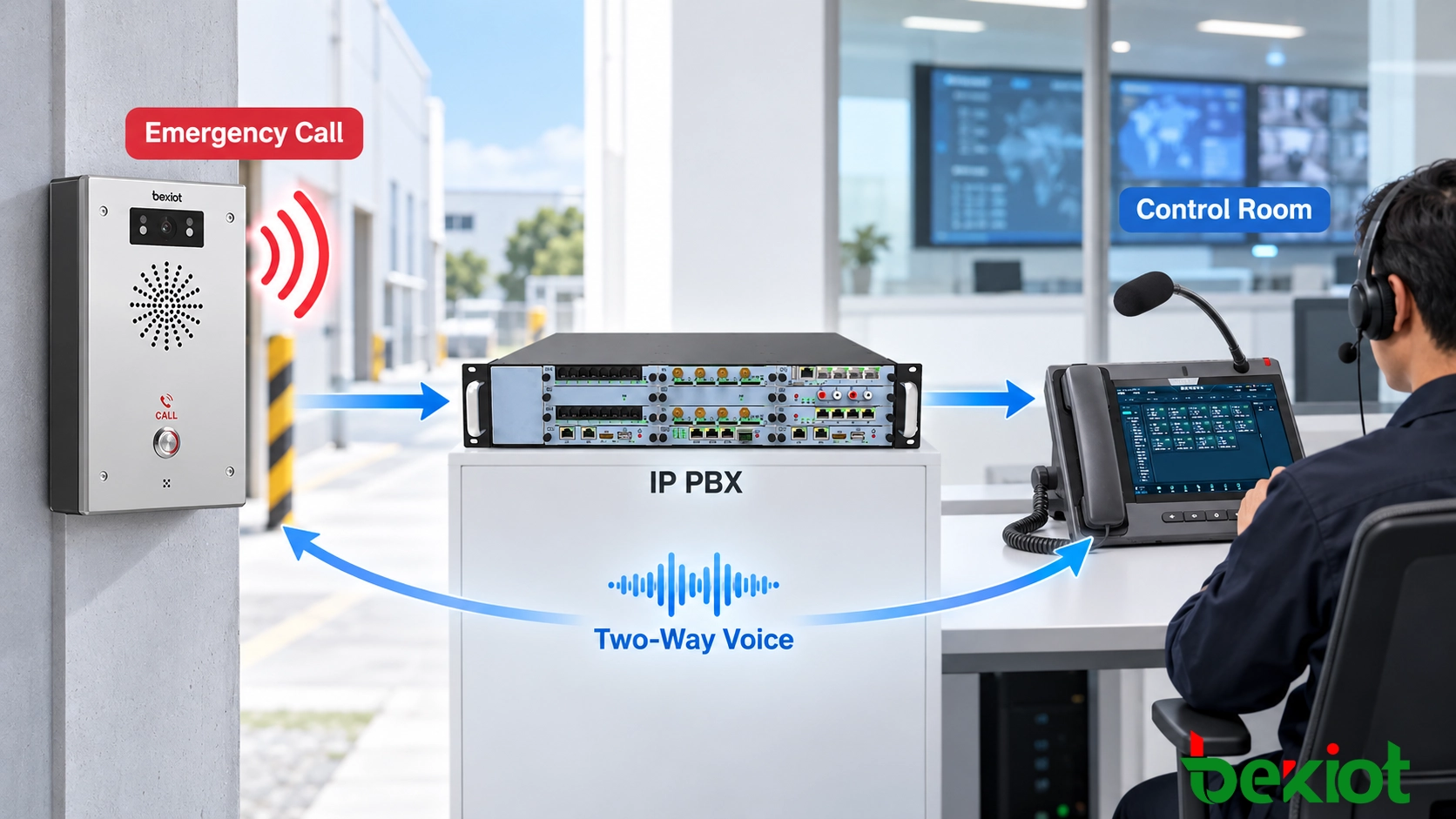
Call signaling establishes or negotiates the session, while the media path carries the conversation. RFC 3550, Sections 1 and 6, defines RTP and the supporting RTCP control function. RTP does not guarantee delivery, timing or quality of service. A completed signaling exchange can therefore coexist with one-way, silent or unintelligible audio.
Check the negotiated audio format, advertised media addresses and ports, firewall or NAT handling, and any media relay. Then verify microphones, speakers, acoustic echo behavior and volume in the actual installation environment. A network capture can show packets arriving without proving that the person at the help point can understand the operator.
Test both directions at realistic speaking distances and with representative background noise. Repeat relevant tests while other planned traffic is present. Record conditions and results rather than assigning a universal acceptable delay or claiming that SIP itself delivers clear audio.
Handling Missed Calls, Escalation and Termination
Agree the response to a busy terminal, no answer, unavailable platform and failed media path separately. An alternate number is useful only if the components needed to reach it remain available. Two destinations behind one failed PBX do not provide an independent communication path.
| Observed outcome | Next check or configured action |
|---|---|
| No outgoing call attempt | Inspect trigger recognition, endpoint configuration, power and local state. |
| Request reaches the platform but no intended destination rings | Check authorization, dial-plan selection and destination availability. |
| Destination rings without answer | Apply the agreed waiting limit and supported alternate route; confirm the previous attempt is resolved. |
| Destination reports busy or rejects the call | Use the specified route for that result; do not assume it is identical to no answer. |
| Call is accepted but speech fails | Investigate the media path and local audio; provide the site's defined failure indication and response procedure. |
| All configured attempts fail | Report the unresolved request and invoke the designated alternate assistance procedure. |
RFC 3665 Sections 3.8–3.9 illustrate no-answer cancellation and a busy response. A pending call attempt is cancelled using the applicable CANCEL procedure; an established session is ended with BYE. If an answer crosses a cancellation, the accepted dialog still needs proper acknowledgment and release. The endpoint and platform should handle that race without leaving an unintended live call.
For retry and failover policies, define the permitted destinations, maximum waiting behavior, caller indication and recovery owner. Test restoration as well as failure, including whether an intercom returns to its normal ready state and whether duplicate or stale incidents remain at the console.
Emergency Intercom Deployment Considerations
Power and network planning must include switches, call servers, media services, operator terminals and any gateway used by the fallback route. Use redundancy and backup power where the project requires them, and test their actual effect. VLANs and QoS settings cannot compensate for an unpowered shared switch or an unstaffed destination.
Locate help points where users can identify and operate them under expected conditions. Consider accessibility, visibility, ambient noise and the environmental rating of the selected equipment. For a Becke Telcom project, confirm the specific endpoint's calling, power, audio and fallback functions against model and firmware documentation; separately verify any required environmental certification.
SIP Intercoms and Existing Analog Emergency Telephones
An existing analog system can also use a central exchange or a gateway. The practical comparison is the installed architecture and its dependencies, not a general assumption that one technology is always more reliable.
| Design question | SIP endpoint | Analog endpoint or retained analog circuit |
|---|---|---|
| Connection path | IP connectivity to supported call services or a direct destination | An analog line interface, exchange or suitable gateway |
| Power during failure | Depends on the endpoint supply and the IP path's powered components | Depends on line feed, exchange or gateway design and any local supply |
| Routing and location | Configured account, destination rules and maintained location mapping | Exchange or gateway routing and maintained line-to-location mapping |
| Integration and expansion | Requires supported interfaces, capacity and network coverage | Requires suitable line capacity and any necessary integration interfaces |
Integrating the Call with Other Systems
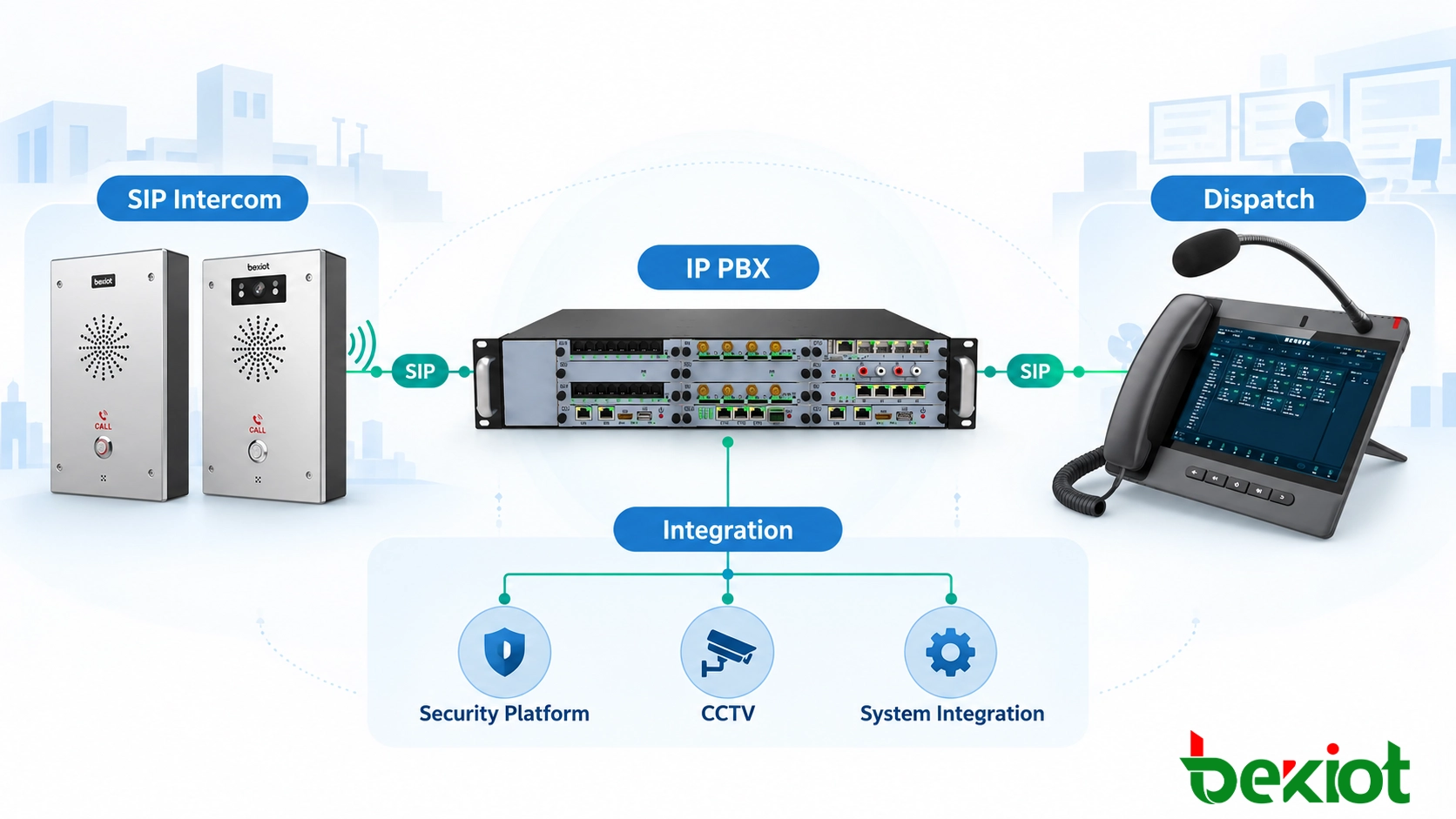
CCTV views, access events and alarm records can add context to a call through supported platform interfaces. An intercom's native capabilities, PBX functions and third-party integration software need separate confirmation. Their coordination is addressed in SIP intercom integration with CCTV and alarms.
Emergency Call Testing and Acceptance
Use a test record for each help point with its physical location, endpoint and platform versions, configured destinations, expected behavior and observed result. The original button, routing, audio and failover checks remain the core of acceptance:
Button trigger: confirm the intended action and local user indication, including repeat presses.
Call routing: verify the primary and alternate groups, location display and applicable duty schedules.
Audio: confirm intelligible speech in both directions under representative conditions.
Escalation: test busy, unanswered and unavailable destinations, and confirm the final failure indication.
Release and recovery: end calls from each permitted side, cancel a ringing attempt and test answer near the escalation boundary.
Infrastructure failure: test the specified power and network failure scenarios and verify the actual alternate assistance path.
Preserve timestamps and relevant call or incident references so a failed stage can be investigated. A periodic test should demonstrate the response workflow from the field location, not merely that the account still appears registered.
FAQs
Why can a registered intercom fail to make a useful call?
Registration checks only part of the system. The destination can be unavailable, the button action can be wrong, or the audio path can fail. Test the complete call from the physical terminal to a responder.
Can an operator call the help point back after the conversation ends?
Only if inbound routing and the endpoint's answering policy support it. Define which operators may call back, whether the help point rings or answers automatically, and how people nearby are alerted. Test callback separately from the outbound button call.
What happens when one responder hands the caller to another?
Transfer or conference handling depends on the platform and endpoint support. Test whether the caller remains connected, whether the new responder receives the correct location, and what happens if that responder cannot answer. Incident ownership should move explicitly rather than being inferred from a transfer attempt.
How should the system handle a physically stuck call button?
Check the model's documented trigger and fault behavior. A held input might be treated differently from repeated presses, and SIP registration does not detect a mechanical fault. Specify how the condition is reported, how repeated calls are controlled and how the unit returns to service after inspection.