

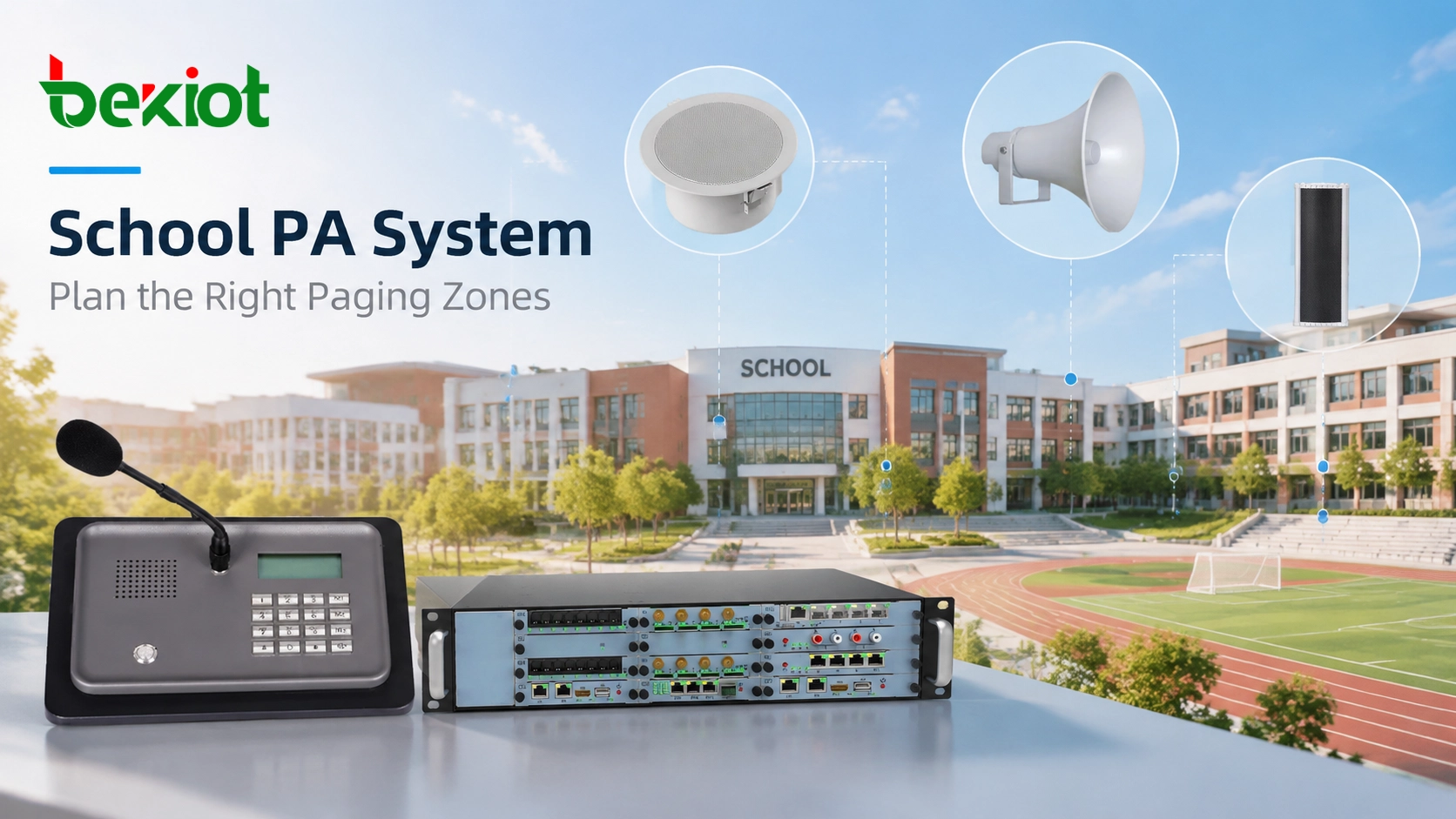
A school PA system is not only used for broadcasting the same message across an entire campus. In daily operation, different users often need to communicate with different areas. Teachers may need to send announcements to a specific building, administrators may need to notify the whole campus, and security staff may need to deliver urgent instructions to selected locations.
Paging zone planning connects the school’s communication tasks to actual listening areas. It should establish who may page each area, which speakers or circuits respond, how overlapping requests are handled and how the result will be tested.
IP-based equipment can make grouping more flexible, but a software label cannot divide speakers that share one inseparable analog circuit. Start with the campus map and required messages, then check which boundaries the installed system can actually control.
Why Paging Zones Matter in a School PA System
Without proper zone planning, a school broadcast system may not match the actual communication needs of the campus. For example, a classroom announcement does not always need to interrupt every area, while an emergency notification may require immediate coverage across multiple buildings.
A well-designed paging zone structure allows schools to:
Send announcements to specific buildings or areas
Separate daily paging from emergency broadcasts
Reduce unnecessary disruption during teaching activities
Provide different access levels for different users
Expand communication areas when the campus grows
Distinguish three things in the design: a physical zone is an area where people need a message; a controllable output is a speaker, amplifier channel or circuit the system can address; a paging group is a logical selection of those outputs. Keep their relationships explicit even if the platform uses the word “zone” for all three.
Common Paging Zones in Schools
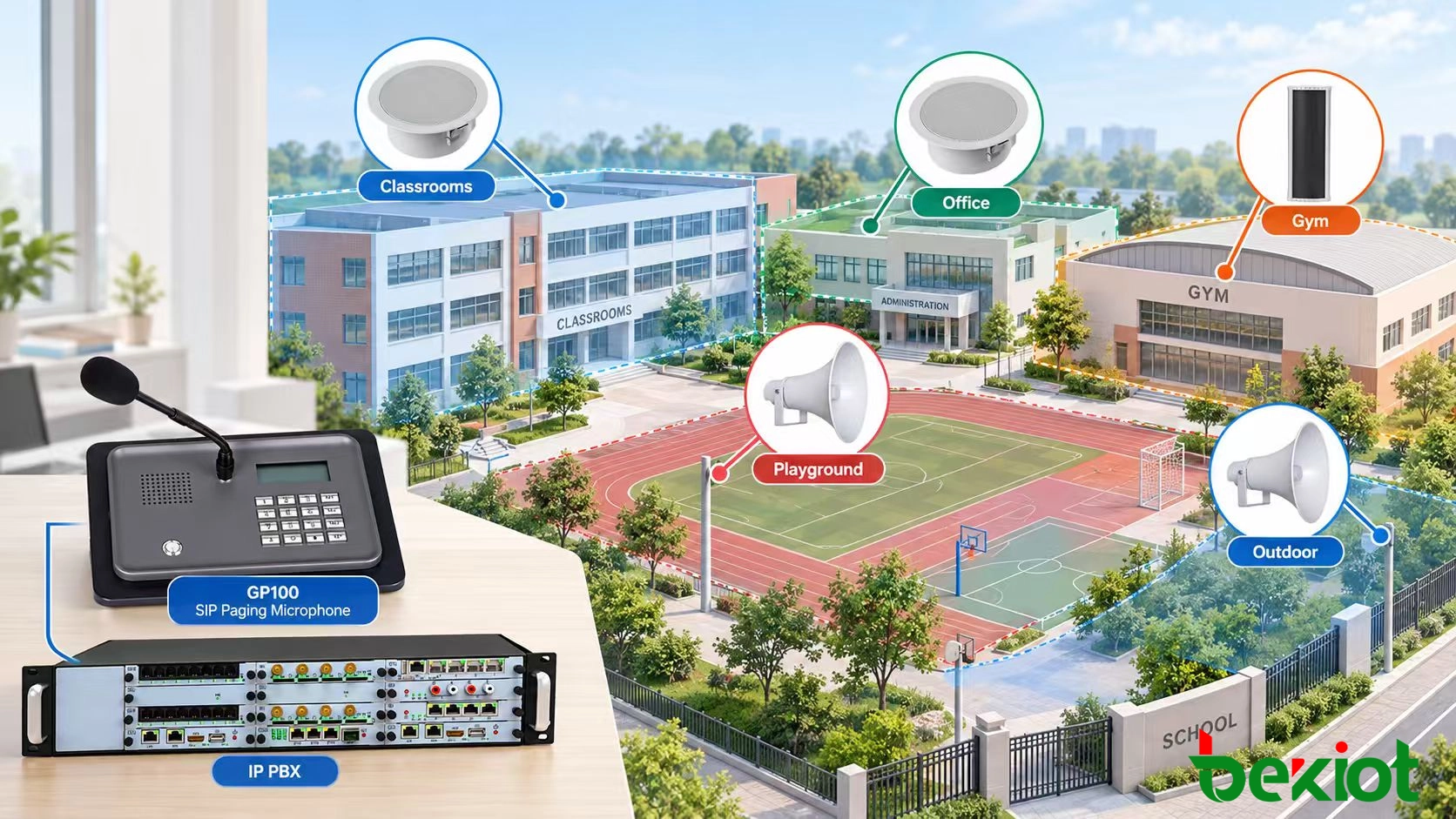
The number of zones depends on building layout, activities and response procedures. Begin with the common areas below, then identify which need independent control. A zone boundary should represent a real difference in audience, schedule, permission or required instruction.
Classroom and Teaching Zones
Classroom areas are commonly organized by building, floor or teaching department. Daily announcements, class schedule notifications and teaching-related messages may need different recipients. Check whether each room is independently addressable before offering room-level selection on the operator screen.
For larger campuses, separating classrooms by building or floor allows administrators to send targeted messages without disturbing unrelated areas.
Administrative and Staff Zones
Offices, reception areas and staff rooms often need a separate group for staff coordination, visitor management and operational notices. Check shared corridors: an office-only page may still be audible to students if those spaces share speakers or open doorways.
Public and Outdoor Zones
Hallways, cafeterias, gyms, playgrounds, parking areas and bus waiting points have different occupancy and acoustic conditions. Map outdoor teaching, after-school activities and temporary classrooms as well as the main buildings.
Outdoor and public zones require careful speaker placement because background noise, distance, and environmental conditions can affect voice clarity.
Emergency Paging Zones
Emergency message areas should follow the school’s approved response plan. They may combine several routine zones or require different instructions in different areas. “All call” is a destination choice, not automatically the correct response to every incident.
For each emergency use, agree the initiating authority, target areas, message, interruption behavior and alternative notification method. Include people who may not hear or understand an audio-only message.
Factors to Consider When Designing School Paging Zones
Campus Layout and Building Structure
Map buildings, floors, indoor and outdoor occupied areas and the paths between them. Check actual speaker circuits against drawings. A door, wall or marked line on a site plan does not guarantee an acoustic boundary.
Daily Communication Requirements
List tasks with school staff before creating groups: scheduled bells, live teacher or office announcements, events and operational notices. Record who needs each task, when it runs and the areas it must exclude. Include exam periods, holidays and community use outside normal teaching hours.
Emergency Response Planning
Document emergency access and conflict rules separately from routine schedules. An authorized emergency message should receive the precedence required by the approved response design, including when a routine zone is muted or an after-hours profile is active. Confirm that the selected equipment supports that behavior.
Designing a Flexible Paging Zone Hierarchy
A well-designed school PA system should provide both detailed control and simple operation. If zones are too broad, users may be forced to broadcast unnecessary messages across the entire campus. If zones are divided too narrowly, daily operation can become complicated and difficult to manage.
A practical zone hierarchy usually includes multiple control levels:
Room-level zones: Individual classrooms, offices, or special rooms requiring targeted announcements
Floor-level zones: Multiple rooms and corridors grouped together for building management
Building-level zones: Complete academic buildings, dormitories, or functional areas
Campus-wide zone: All areas activated together for major announcements and emergency situations
Software can combine addressable outputs into building or campus groups without rewiring. It cannot create finer control than the physical outputs provide. Where two classrooms share one analog line, individual room paging needs a supported way to separate those outputs or a different endpoint arrangement.
Turn the hierarchy into a zone register
Use stable IDs alongside familiar location names, then record included outputs, exclusions, authorized roles and schedule ownership. The example below is a planning illustration, not a recommended number of zones or a deployed school configuration.
| Example group | Intended audience | Key boundary to verify |
|---|---|---|
| A-F1: Teaching Block A, floor 1 | Named rooms and corridor outputs on that floor | Exclude other floors; disclose any shared circuit that prevents this |
| STAFF: Administrative offices | Staff office outputs | Exclude classroom outputs and check sound spill at public reception |
| SPORT: Gym and playing field | Outputs serving the scheduled event area | Include occupied changing or waiting areas if required; exclude unrelated classes |
| CAMPUS: Approved campus group | All outputs named in its controlled membership list | Check detached buildings and outdoor areas; do not infer coverage from the label |
For overlapping groups, define how a shared endpoint handles two requests: which wins, what the operator sees and whether interrupted audio resumes. Validate the platform’s actual behavior rather than assuming nested groups or overlapping memberships work identically across systems.
Matching Speaker Selection With Paging Zones
Paging zone planning is closely connected with speaker selection and installation design. Different areas of a campus have different acoustic conditions, and the same speaker arrangement may not provide suitable coverage everywhere.
Classrooms need intelligible speech without excessive disturbance. Gyms, cafeterias and outdoor spaces may need different speaker layouts, directivity and acoustic treatment. More amplifier power alone does not resolve reverberation or poor coverage.
When planning speaker coverage, designers should consider:
Room size and layout
Background noise levels
Ceiling height and building materials
Indoor or outdoor installation conditions
Required speech clarity
Agree listening checkpoints and acceptance criteria before installation. IEC 60268-16:2020, corrected version 2025-07, describes STI measurement methods and limitations; it does not supply universal voice-alarm certification thresholds. A successful network page is not an intelligibility measurement.
Speaker selection can then be matched to each area’s installation and acoustic needs; see the available SIP speaker types, with exact suitability checked for the selected model.
Emergency Paging and Priority Management
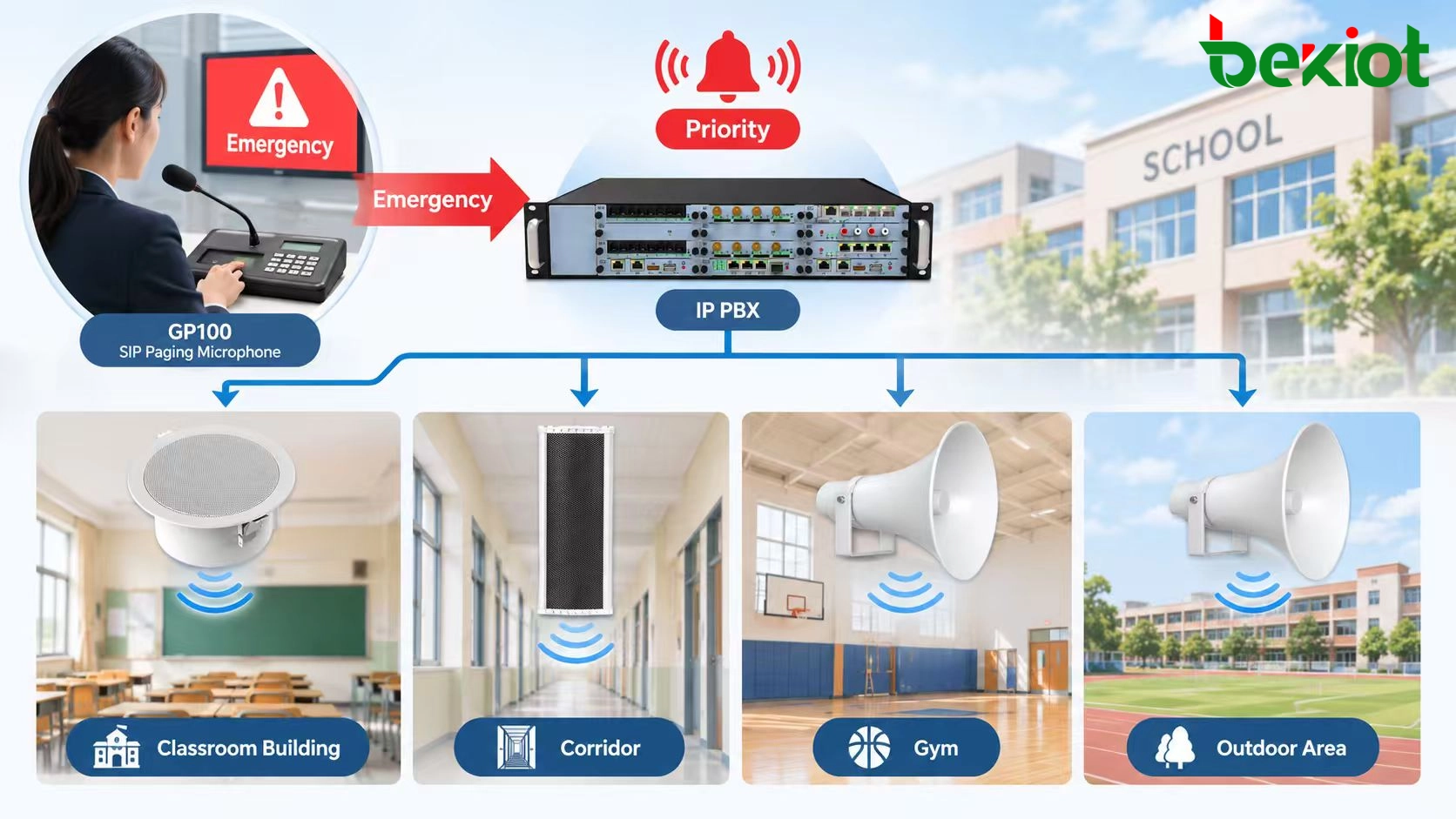
Record emergency priority as an agreed operational policy. Do not infer it from the words “SIP,” “IP PBX” or “all-zone.” A platform may provide priority at its server while a separate analog input or local speaker source follows different rules.
Specify and test conflicts for every audio path the school relies on:
Urgent message during a scheduled bell: identify which audio stops and whether the bell resumes after the message.
Two authorized users target an overlapping group: define precedence, rejection or queuing and the feedback given to both users.
Routine quiet hours or a local mute is active: verify the approved emergency behavior at each affected output.
A building is unreachable: define the fault indication, responsible staff member and approved alternative notification route.
Fire evacuation, sheltering and security instructions can have different destinations and approval paths. Coordinate them with the school’s responsible safety team and applicable local requirements. A general SIP paging system is not automatically an approved fire alarm or voice evacuation system, and adding an alarm trigger does not establish that approval.
Map the Zone Plan to the Paging Platform
RFC 3261 (June 2002), Section 2, defines SIP’s role as signaling within a wider architecture. School group membership, timetables, permissions and priority policy belong to the application and endpoint implementation; they are not guaranteed by SIP support.
Map each operator selection to its actual group ID and outputs. Depending on the project, the paging service may establish individual endpoint sessions, distribute multicast media or feed an analog gateway. Confirm which device or service owns each part of that mapping.
The operator’s intended path is: authorized zone selection → platform group resolution → supported media/output path → assigned speakers. Document it even where the platform hides these steps behind one button.
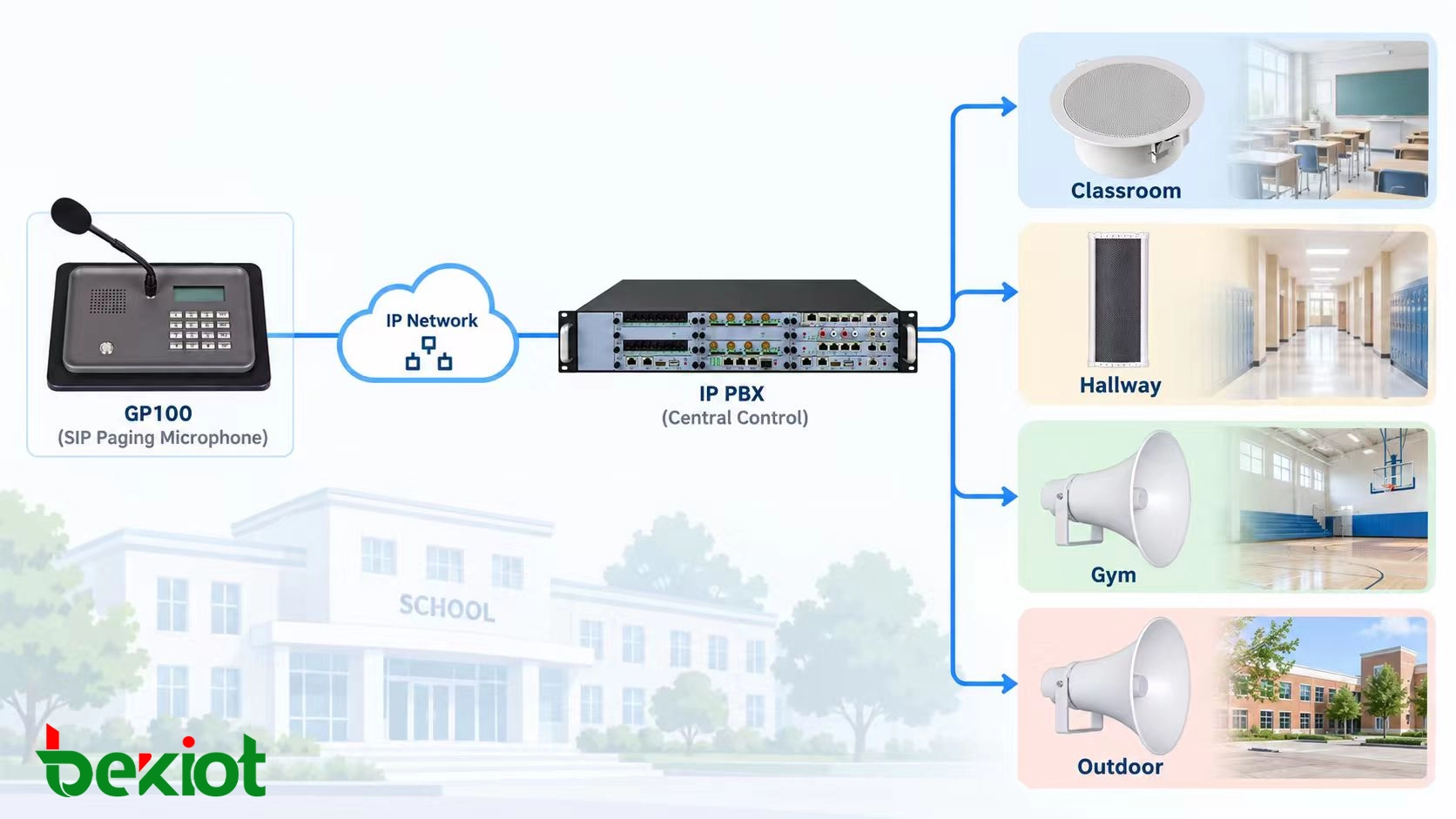
A SIP paging microphone is one possible operator interface. The platform and installed firmware must support the intended selection method and permissions.
Validate the Zone Plan and Keep It Current
Before release, page every approved group from the normal operator interface. Confirm its included outputs, test excluded areas, listen at the agreed positions and verify permitted and denied operator roles. Exercise the specified conflicts and schedule exceptions under controlled test conditions.
Retain results against the zone-register revision and resolve failures before acceptance. A display showing a completed task cannot establish output from every speaker. If the wrong area activates, follow the wrong-zone paging fault trace to isolate the first incorrect mapping.
Keep future changes within the same controlled process:
Reserve project-specific capacity for outputs, media sessions, licenses, network ports and power.
Maintain stable zone IDs and reviewed display names when rooms or departments move.
Give temporary event groups an owner, expiry date and removal check.
Retest changed groups and their overlapping or parent groups after device moves, rewiring or software changes.
If the campus is also replacing legacy equipment, sequence these changes through the phased school PA upgrade process. Zoning defines the intended audience; the migration plan determines how each usable stage is delivered.
FAQs
Can a quiet room be excluded from routine paging but included in emergencies?
Yes, if supported and approved in the design. Specify separate routine and emergency memberships or policies and test both. Do not rely on a local volume control or mute until its interaction with the emergency path has been verified.
How should a shared gym used by the community be zoned?
Record school and community occupancy, operator responsibility and event schedules. Temporary routine permissions should expire, while the required emergency notification coverage remains available. Include connected occupied spaces according to the site plan.
What if two grades share the same corridor but have different bells?
Decide which bell, if any, should play in the shared area and assign one schedule policy to that output. Separate classroom groups can follow different timetables, but a shared speaker cannot make the same sound audible only to one grade.
Does a zone boundary prevent people nearby from hearing the message?
No. Logical exclusion prevents unintended endpoint activation; it does not stop sound crossing a doorway or open space. Check both receiver status and acoustic spill before changing the group membership.
Who should own the zone register after installation?
Assign one accountable owner and a review process involving school operations, facilities and IT. Room changes, permissions, wiring and software groups need coordinated updates. Keep sensitive operational details in the school’s controlled records rather than public-facing documentation.