

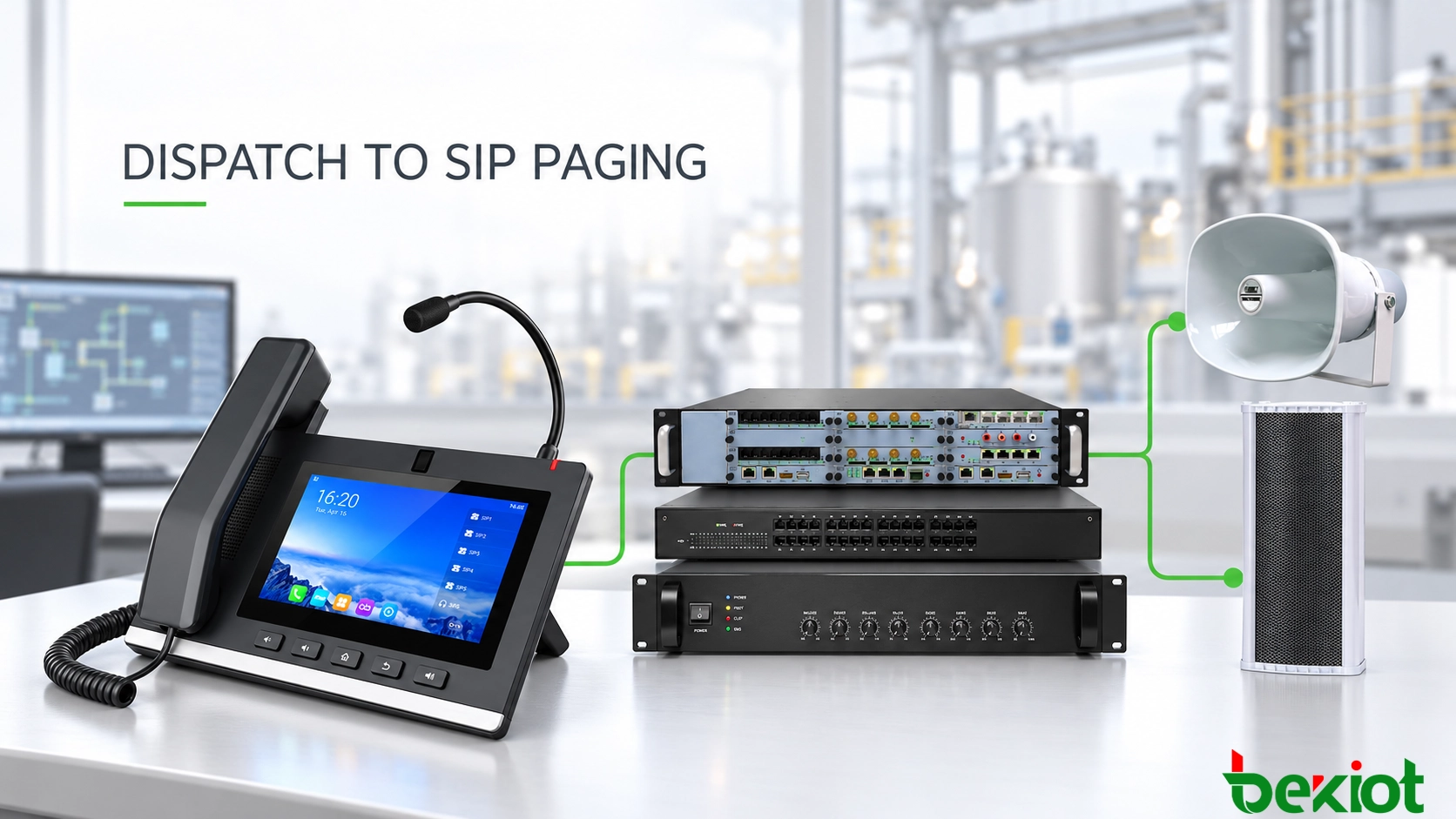
A control-room operator can select a loading-area paging key and speak through a handset, speakerphone or microphone. Behind that action, call control must authorize the destination, receiving equipment must accept the announcement and the media path must deliver audio to the correct speakers. A registered telephone alone does not establish that this path works.
Place the telephone in the complete paging architecture
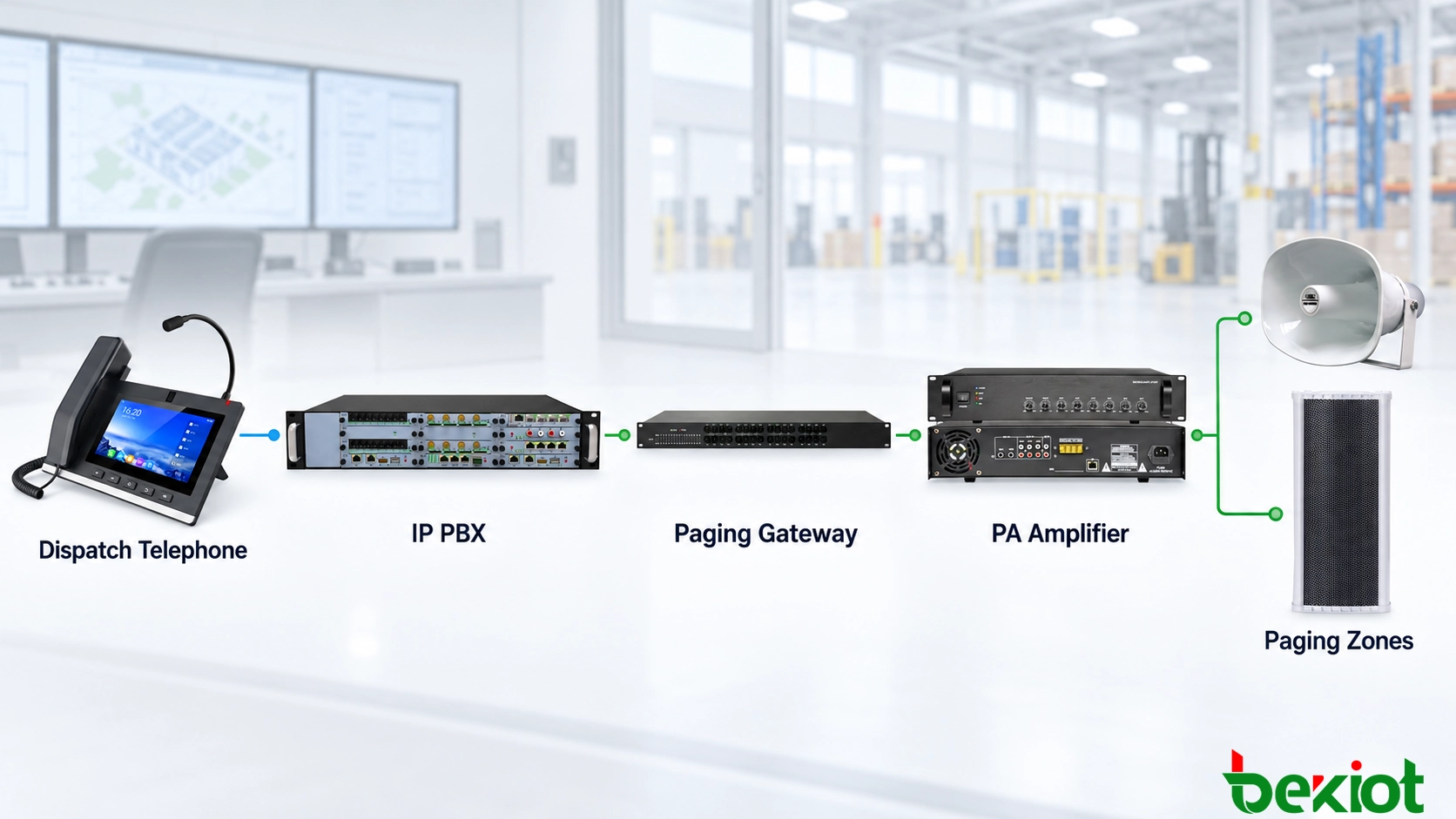
The dispatch telephone is the operator endpoint. An IP PBX, SIP server or dispatch platform handles call routing and permissions; speakers or gateways provide output. A typical IP path is telephone, call-control platform, paging group and SIP speakers. For existing PA equipment, a SIP paging gateway feeds an amplifier and analog speaker circuits.
Telephone and receiving SIP endpoints commonly register with the platform, but group numbers are logical destinations rather than physical devices. A separate dispatch application can add zone selection, alarm linkage and records. These are platform or integration capabilities, not automatic consequences of SIP support.
Choose the connection method for each destination
| Method | Application and checks |
|---|---|
| Individual SIP extension | Call one speaker for a small area or maintenance test; confirm supported automatic answer and playback. |
| Server paging group | One number selects several endpoints; verify simultaneous-session capacity, membership and partial failures. |
| SIP paging gateway | Feed existing PA equipment; match line level, impedance, balanced or unbalanced wiring, grounding and relay operation. |
| SIP-controlled multicast | A platform converts a call into a group audio stream; verify endpoint format, group address and network forwarding. |
A multicast-capable telephone may transmit directly, but many phones only call a platform that performs distribution. SIP signaling and multicast audio are separate mechanisms. Check IGMP snooping, the querier, VLAN boundaries and multicast routing where required; do not assume a multicast stream crosses subnets or a WAN.
Define zones by physical coverage and operating responsibility. Sharing a switch does not make two speakers part of the same safety zone. Record the mapping between each number, location, amplifier circuit and receiving endpoint.
Configure accounts, media and access
Set the server address, extension, authentication identity, secret, port, transport and supported codecs. Give each endpoint a meaningful location name. Configure the receiving device's documented automatic-answer mode and authorized source restrictions. SIP compliance does not guarantee automatic answer, and a server-specific alert header may not work with another endpoint.
| Configuration area | Items to verify |
|---|---|
| Telephone and server | Account, dial plan, routing, transport, credentials and user role |
| Receiving endpoint | Automatic answer, audio level, group membership and supported media format |
| Gateway and amplifier | Audio interface, relay timing, amplifier readiness and circuit selection |
| Network and power | VLAN, QoS, PoE budget, RTP ports, firewall, NAT and multicast control |
Use a mutually supported codec, such as G.711 A-law or μ-law where specified. A lower-bandwidth codec requires support across the entire path; platform transcoding consumes resources and can add delay. Include packet overhead and concurrent streams when calculating bandwidth. RTP itself does not guarantee timely delivery or reserve network capacity.
Restrict emergency and all-zone numbers by authenticated role and destination. A programmable key is only a shortcut; it must not grant permission. Limit automatic-answer sources, protect administration, and use supported signaling and media security consistently across the telephone, server and gateway.
Map zone keys to a clear operator workflow
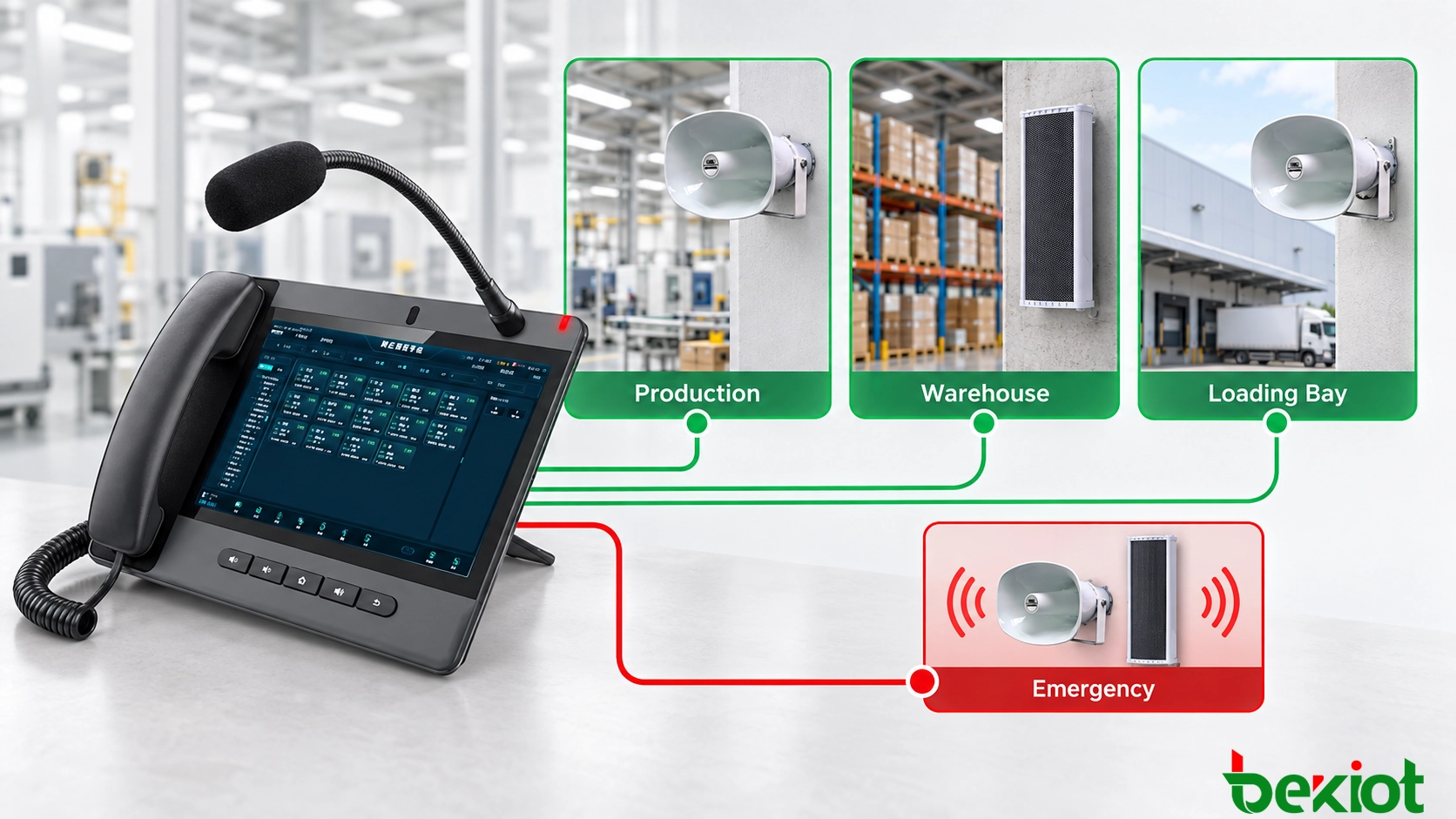
The following numbers illustrate a configuration, not product defaults. Confirm the available keys and platform capacity for the selected Becke Telcom dispatch console.
| Item or key | Example destination |
|---|---|
| Dispatch telephone | Extension 2001 |
| Production / DSS Key 1 | 6201 |
| Warehouse / DSS Key 2 | 6202 |
| Loading bay / DSS Key 3 | 6203 |
| Emergency key | 6299, with server-side authorization |
Label keys with recognizable area names. Speed dial starts a call; push-to-talk may require holding and releasing a key, depending on the implementation. Confirm the sequence, connection indication and release behavior before training operators. Do not assume a programmable key provides floor control.
BLF subscriptions or platform integration may show destination activity when supported. Specify exactly what a lamp means: registered, busy or selected is not proof of audible playback. Where status integration is unavailable, provide another defined readiness indication.
Verify the call sequence and audio readiness
The operator selects a zone; the telephone sends a SIP INVITE to the platform.
The platform checks caller authorization and routing, then establishes the required endpoint sessions or gateway path.
Compatible endpoints answer according to their configuration; the system establishes RTP or multicast delivery.
The operator waits for the defined readiness indication and speaks. Confirm that the amplifier and speakers are ready, not just that signaling completed.
The operator ends the call or releases the supported PTT control; the platform releases sessions, relays and zone resources.
The platform stores operator, destination, time and result records where logging is configured.
Test the first and last words of announcements. Setup delay can clip the beginning, and premature release can cut off the end. Define any required opening tone, preannouncement delay and release delay from measured equipment behavior. Afterward, verify the intended return to standby, background music or scheduled audio.
Make priority and conflict policy explicit
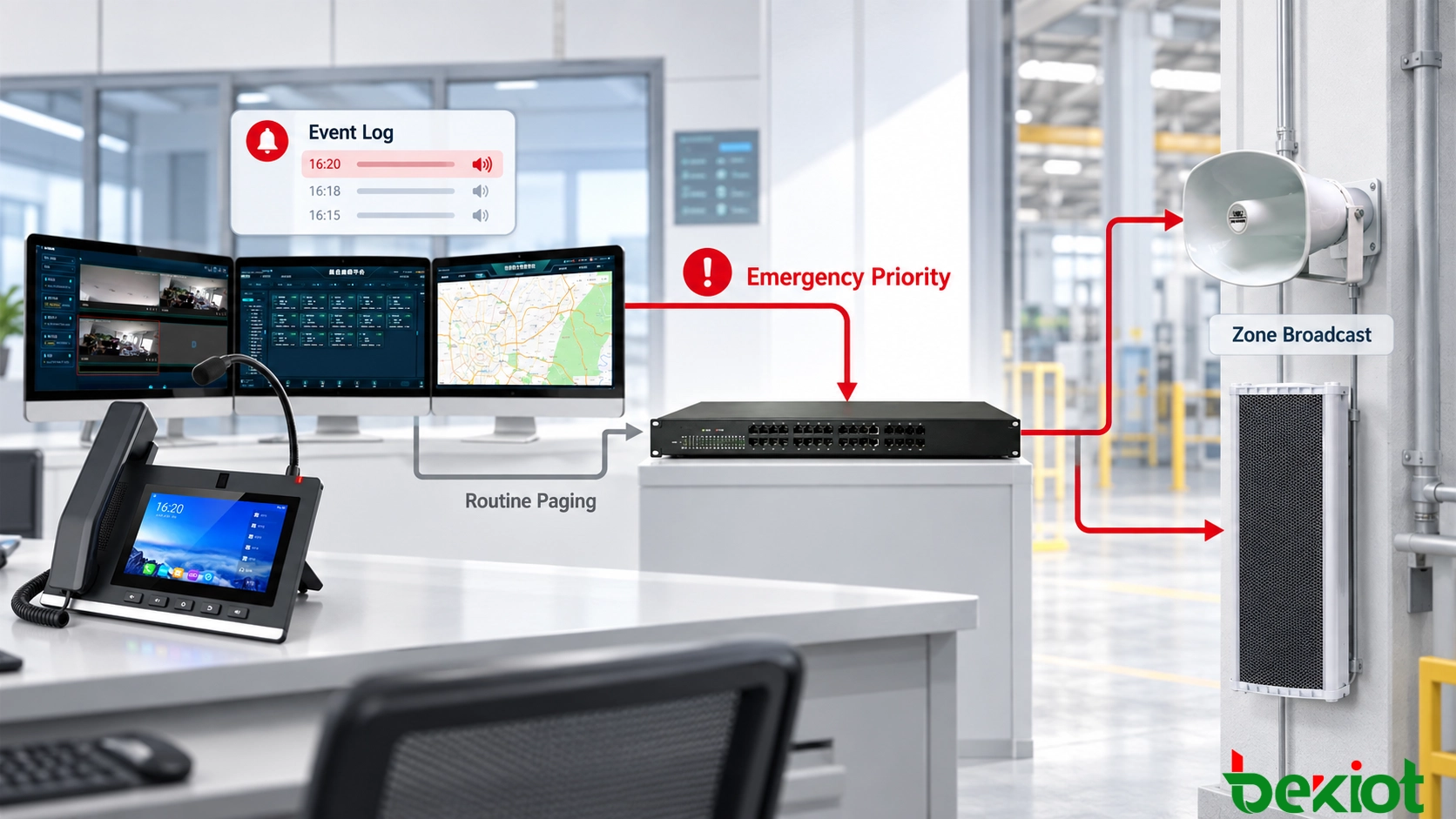
Decide whether a second request receives busy, enters a queue, waits for the current speaker or interrupts a lower-priority announcement. Define who can interrupt which zones, how control transfers and what operators see. Prevent mixed audio and unauthorized interruption.
Emergency priority requires compatible platform, gateway and receiving-device behavior. SIP's Priority header is not a universal paging override. The Resource-Priority extension addresses authorized resource precedence in supporting systems; it does not establish that a particular speaker can stop background music or preempt another page. Test the chosen mechanism throughout the path.
Recording or an answered SIP call can show that a session occurred. Neither proves amplifier output, loudspeaker operation, intelligibility or that people heard the message. Use suitable endpoint and amplifier monitoring, field audio tests and operational acknowledgment where required.
Commission the microphone-to-speaker path
Call every zone and verify its displayed name, activated devices, coverage, volume and release. Test individual and all-zone destinations, simultaneous operators, routine versus emergency audio, denied callers and return to normal playback. Include the actual background noise and microphone conditions used by operators.
| Symptom | Checks |
|---|---|
| Registration fails | Server, account, credentials, transport, port and network access |
| Zone unreachable or incorrect | Dial plan, group mapping, routing and authorization |
| Ringing without playback | Supported automatic-answer mode and trusted-source settings |
| Connected without audio | Codec, RTP routing, firewall, NAT, amplifier input and mute state |
| Missing or interrupted speakers | Group membership, IGMP, querier, VLAN, bandwidth, packet loss and power |
| Zone remains occupied | Session release, PTT behavior, gateway relay and endpoint timeout |
| Emergency override fails | Role policy and compatible priority behavior at every stage |
Finally, test primary-server and WAN loss. A standby server or local controller preserves paging only if terminals, routing, media, authentication, gateways, LAN and power remain available in that mode. Verify active-call behavior and recovery; see the architecture discussion in multi-site emergency dispatch.
FAQs
Can a telephone call a speaker without a PBX?
Possibly, when both endpoints support compatible peer-to-peer calling. Check addressing, automatic answer and security. Central groups, permissions and failover still need an appropriate implementation.
Is a dedicated paging server always required?
No. A compatible PBX may provide basic calling and groups. Complex zones, schedules, alarms, monitoring and priority can require a dedicated platform or integration.
Can one telephone page several speakers?
Yes, through a supported server group or multicast arrangement. Verify session capacity, network support and behavior when only some speakers accept the announcement.
Does SIP support prove emergency override or audible delivery?
No. Verify priority interoperability and test the physical audio output separately. Call acceptance and logs cannot establish that personnel heard the instruction.
Technical references
RFC 3261 defines SIP signaling and the Priority header; RFC 3550 defines RTP and its transport limitations; RFC 4412 defines authorized communications resource priority. Paging-zone operation remains an implementation and commissioning responsibility.